
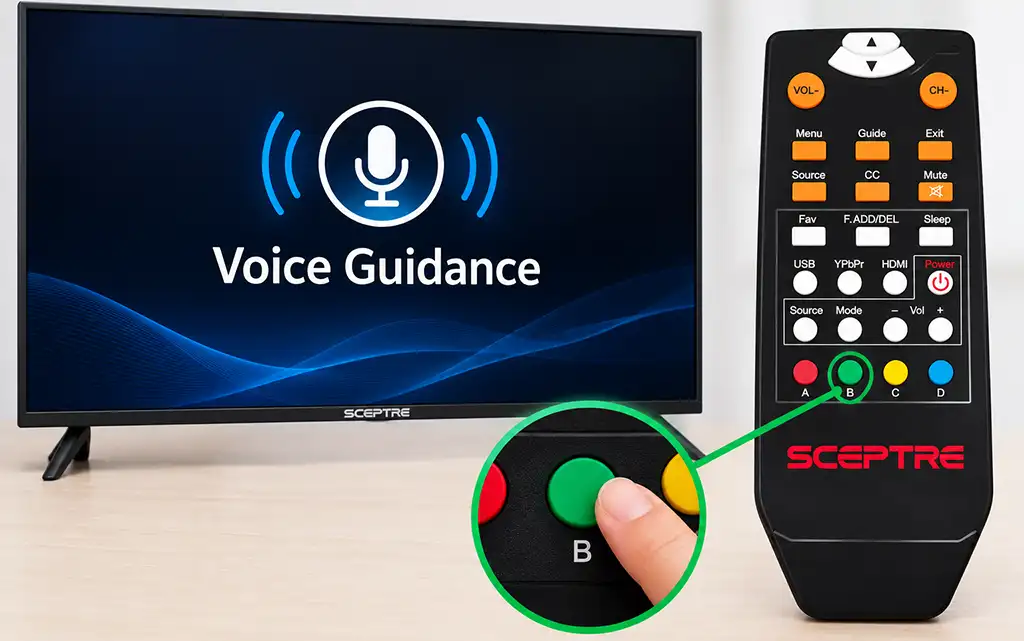
Sceptre TVs have a Voice Guidance feature that reads menu items and other on-screen controls aloud. This accessibility feature can be useful for people with visual impairments, but you may want to turn it off if the TV speaks while you navigate through the menus.
The procedure depends on the Sceptre TV model and remote control. The menu can extend across several screens, so you may need to use different arrow buttons to find the Voice Guidance option.
How to Turn Voice Guidance On or Off on Older Sceptre TVs
On many older Sceptre TVs, Voice Guidance reads menu items and other on-screen controls aloud.
To change the Voice Guidance setting:
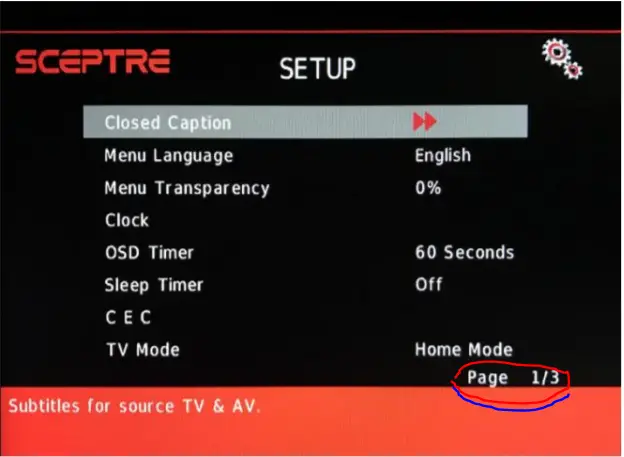
- Press MENU on the remote control to open the TV menu.
- Use the ▲ and ▼ buttons to move through the available menu options.
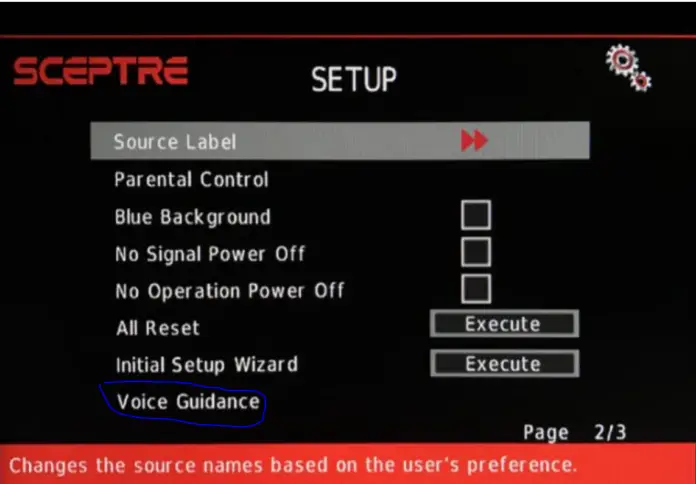
- Find Voice Guidance.
- If the option is not visible on the current menu screen, use the ◄ and ► buttons to move between menu screens.
- The menu can contain up to three screens, so check the other screens if necessary.
- When you find Voice Guidance, press the green B button on the remote to turn the feature on or off.
Sceptre manuals for several older models specifically state that the green B button turns Voice Guidance on or off. These models also provide separate settings for the voice Volume, Speed, and Pitch.
The exact menu layout and remote control may vary between Sceptre models.
How to Turn Off Talk Back on Sceptre AndroidTV
Sceptre AndroidTV models use a different voice guidance feature called Talk Back.
For example, the Sceptre A51 Series, including the A515CV-UMC, is an AndroidTV with Talk Back. Sceptre describes Talk Back as a feature that verbally explains each action and selected function while you use the remote.
To turn off Talk Back:
- Press the Home button on the remote to open the Android TV home screen.
- Select Settings.
- Select Device Preferences.
- Select Accessibility.
- Select TalkBack.
- Turn TalkBack off and confirm if prompted.
The menu path is generally Settings → Device Preferences → Accessibility → TalkBack on Android TV. The exact names or location of these options may vary depending on the Android TV version installed on your Sceptre TV.
Sceptre TV Keeps Talking After Voice Guidance Is Turned Off
If your Sceptre TV continues speaking after you turn off Voice Guidance or Talk Back, the voice may be coming from another feature.
One possibility is Video Description, also called Audio Description. This is different from Voice Guidance.
Voice Guidance and Talk Back read menu items, controls, and actions while you operate the TV. Video Description provides spoken descriptions of events in supported TV programs. Sceptre manuals list Video Description as a separate feature and explain that it uses the TV’s secondary audio function, known as SAP.
If the TV only speaks while you are watching certain channels or programs, check the audio settings for Video Description, Audio Description, or SAP. If the TV continues reading the menus after you disable the appropriate voice guidance feature, restart the TV and check the setting again.


Reset the fin tv
Same!!! Any luck anyone??
Thanks
Does not stop to talk! Even when setting Voice guidance to OFF! Model E32, Version UKTG53CC
Same!! Mine started out of nowhere and not ot will not turn off – even though it’s set to off.
Just now mine started doing the same thing!!!! Help help
How do I get to the voice control on my remote?
What is your TV model?
How do I get to the voice control?